The short versionWhy Korean creators feel light-years ahead
It isn't the gear and it isn't clever editing. Ten separate Korean creators, none connected to each other, all kept saying the same handful of things — and that agreement is the actual secret.
It's a calm, restrained, mood-first way of working. Everything serves one quiet feeling. Nothing is loud, fast, or overdone. They shoot naturally and often in warm light, film one little moment from a few angles, keep the camera steady, choose the music before they film and cut to it, then edit with a light touch — never a heavy colour job. Captions stay small and tasteful, the voice sits above the music, and they accept that the filming is the easy part while the editing is the real work. The whole game is keeping the shooting effortless so you actually do it.
The single best line of the whole run came from a travel-vlog guide:
01 · The mindsetStop overthinking it — the filming was never the hard part
A vlogger who's been doing this for nine years (the channel is YOOTRUE ON AIR) gave the clearest version of the right attitude. Her view is that the moment you treat filming as a big production, it becomes a chore — so she deliberately keeps the pressure off. In her words, relax
Her definition of a good vlog is lovely and worth keeping in your head: don't agonise, but be considerate of the viewer. She also kills the excuse most people hide behind — waiting for the right setup. She says straight out that the perfect moment to film never arrives, so stop waiting for it. The fix isn't a better camera or a tidier room; it's simply turning the camera on often. Put it down in one spot and let it run and people get bored and skip; instead she flicks it on for short bursts and keeps moving it to a fresh angle. The one technical thing she insists on is that you talk to the lens like there's a person inside it, not to the little screen — that's what makes everyday footage feel natural rather than staged.
And the part that should reassure you most: she admits the recording is the cheap bit. A twenty-to-thirty minute vlog comes out of around five and a half hours of raw clips, and the cutting plus subtitles can run into days. She keeps the shooting loose precisely because she knows the real cost lands later in the edit.

02 · How they shootOne moment, several angles, and movement inside a still frame
Two ideas come up again and again, from completely different people.
The first is a shot formula that fixes most amateur-looking footage. The teacher behind 용쌤필름 memorises three versions of every moment: a wide shot that shows where you are, a close shot of the detail or the action (your hands pouring the coffee), and a middle shot a step back that ties the two together. Most people film everything from one distance and it comes out flat. Wide, then close, then middle, cut between them, and suddenly it reads as intentional. He's also blunt about two mistakes: don't repeat near-identical shots back to back, and don't spam flashy transitions — the current Korean trend is plain cut-editing with no swooshes, and over-doing transitions looks dated.
The second idea is more elegant, from the creator 소이그린. Instead of waving the camera around (which makes people dizzy and screams amateur), you keep the camera locked and let something inside the frame move — a water droplet sliding down a glass, a curtain swaying (she shakes it herself, off-camera), steam off a coffee, you walking through the shot to set something down. String these calm, still shots together and it looks expensive with no camera movement at all. Her test for whether a shot is any good: pause the video on any frame, and if the frozen image looks composed and clean it's a keeper; if it's a shaky mess, it isn't. For composition she keeps it simple — turn the grid on, keep horizons and verticals level, put the subject on the grid lines rather than dead centre, leave a little empty space in the direction someone is looking, and shoot at 24 frames a second for that filmic motion rather than the smoother 30 or 60.
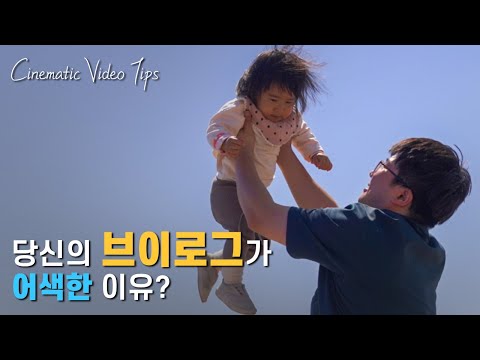
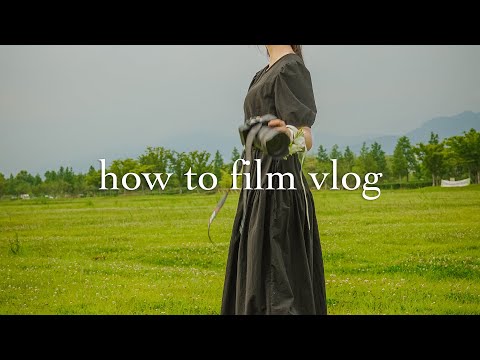
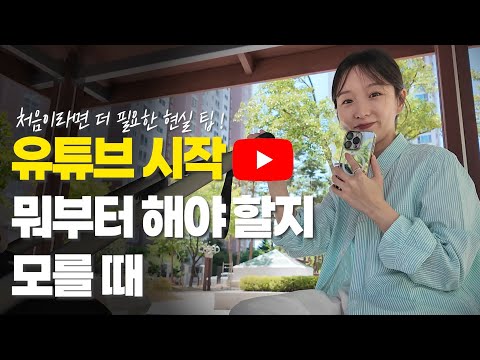
One more, on keeping the edit painless (from 지수튜디오): rough out a beginning-middle-end before you shoot, film the scenery and filler clips short rather than long because you never use the long ones, treat morning sunlight as your free lighting, and — the mindset line that matters — don't chase perfect and quit. Set an upload time, edit hard until then, and post it. A video you actually posted beats a perfect one you never finished.
03 · Editing & colourThey edit on the phone, with a light touch — never a heavy grade
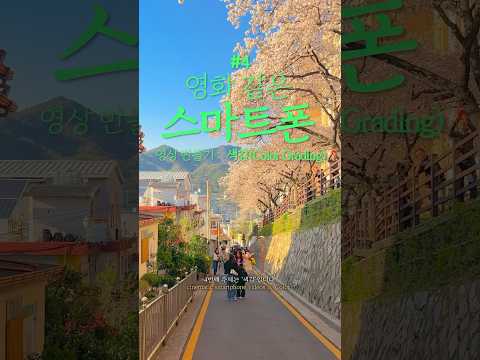
This is the bit that backs up your own instinct, and a Korean pro says it outright. They mostly don't sit at a big computer colour-grading. They use phone apps with gentle presets. The standout is VN Editor, the app most associated with the Korean "aesthetic vlog" look — free, no watermark, and praised for bringing out a film-camera feel and warm tones. CapCut is the other big one: free, with colour presets and speed tools that, as one editor put it, make "the sky-blue and sea-blue come alive naturally."
The crucial line, from 용쌤필름, is the one that proves you're right to avoid the whole LUT rabbit hole: don't over-grade
A nice low-effort trick from the creator 민썸: make one colour "recipe" using the iPhone's own built-in photo edit, then copy that edit and paste it onto every other clip so they all match — tweaking slightly per shot. That's consistency with zero faff, no separate grading software.
04 · CaptionsThe small white text with a soft shadow — and the name to copy
Captions matter far more in Korean vlogs than in Western ones. The trendy look comes from a paid app called Epik, but you can fake it for free. A parenting vlogger spelled out the exact recipe:
A working designer's free-font picks, by job: 베이글팻 (Bagel Fat) — round and chunky, for bold thumbnail titles; 코트라 희망체 (KOTRA Hope) — clean and friendly, for normal dialogue; 학교안심 몽글몽글 — soft handwriting, for cosy diary-style captions and pet vlogs; 학교안심 리코더 — neat and tidy, for narration and info. As she puts it, the font alone "completely changes the whole mood and how professional it feels."
And if you want one name to search for "the Korean caption look," it's 강민경st — the style of singer Kang Min-kyung, copied so widely that there are whole tutorials just on recreating her captions. The overall feel is white text, soft shadow, small and warm — never the loud, heavy-outlined meme captions of Western YouTube.

05 · MusicPick it first, and choose the calm site, not the bouncy one
The veteran already told us to choose the music before you film so you know the rhythm you're shooting for. This is where they get it. The famous free site is 브금대통령 (BGM President) — every editor learns it first — but its style is bouncy and "variety-show" energy. For your kind of calm, classy footage the better source is 사운드어플라이 (Sound Apply). One editor's rule of thumb is perfect:
The safest of all is YouTube's own Audio Library (tick the "no attribution required" filter), and the premium go-to for something unique is Artlist. For your style: Sound Apply or the YouTube library, not BGM President.
06 · Who to watchThe channels people point to — all of them deliberately quiet
If you want to soak up the style, these are the names that came up. The thread running through every one is that the celebrated style is quiet and un-sensational — "daily life itself." 슛뚜 (Sutu) is the classic calm aesthetic daily-vlog channel. Pike channel is a 20-something who lives in an immaculate all-white minimalist home with a cat — one fan wrote "every video makes me want to clean." mylibrary is run by a men's fashion brand and has unusually good shooting and editing taste, described as "plain videos but an odd charm that keeps you watching." 터틀이주미 is a lawyer whose channel is "good to leave on like white noise while you work." Others worth a look: 썸머 Summer in New York, 현주zutube, Daily Joy 조이, 로하, and 유지유 — about whom someone wrote, perfectly, "it's just cafés and meals, but why does it look so pretty?"
07 · LightingWarm light, from the side, never blasting the front
The specifics here are worth holding onto, and they confirm what's already in your cinematic-iPhone notes. Natural light first — golden hour, morning or evening, which makes skin tone soft and background colour rich; indoors, film near a window. When you do use a lamp, go warm, in the 3000–4000K range, not the cool 5000–6000K — warm suits the aesthetic look. And the direction matters most:
For home scenes specifically, a home-café creator admitted she films more than two hours for a single one-minute clip. Her two rules: keep it dead steady (a little tripod on the table, plus a remote so you can film hands-free), and film the same scene from several angles and stitch them — the exact wide/close/middle idea, arrived at independently. None of this needs new gear; your iPhone plus the gimbal you already own covers it, with a warm lamp as an optional extra.
08 · Short-form & reachThe first three seconds, and the honest truth about views
This is the more commercial side — useful if you ever post for reach rather than just to document your life. The rule everyone repeats: the first three seconds decide everything, and if you don't grab someone there they're gone. A common structure is one second of a strong hook line, three seconds setting up a problem, five seconds the solution, ten seconds a result or twist. The trend word right now is "SIMPACT" — simple plus impact — which, happily, lines up with how you already think.
Two harder truths sit underneath. First, pretty footage on its own fails. As the creator Emmaland put it, parodying her own deleted video:
To grow, in other words, you need a concept or an angle — not just nice shots. Second, on money: view income is roughly one Korean won per view, so chasing views barely pays. The creator Yenmad's point is that the real money comes from attaching your own product or service — even a small audience can earn well that way. (That one's squarely your world.)
09 · Photo editingTwo apps — and the trick is to turn the filter down
For stills, the apps Koreans actually use are VSCO (described as a "one-touch film-mood maker") and Dazz Cam (a warm, retro film-camera look). But the real lesson is restraint — the same restraint as the video side:
And the same shoot-first wisdom applies: as one designer put it, "ninety percent of a good photo is decided before you press the shutter — editing only assists." Grid on, golden hour, and a filter dialled down to half. There's even a running Korean joke about it — a creator captioned her edit "sir, this isn't a film camera… it's a filter."
10 · NarrationVoiceover beats talking-to-camera — and vary your endings
Korean vlogs lean on voiceover laid over the footage rather than talking straight to the lens. Two practical things. The volume balance is where it lives or dies — narration loud, background music low; one creator says flatly that this "decides your views." And a professional narrator's single best tip is to vary how your sentences end:
She also marks her pauses and emphasis before recording, varies her pitch so it never goes monotone, and is honest that a ten-minute video takes far longer than ten minutes to record. Her encouragement is worth hearing too: at first she just read flatly knowing nothing, and got comfortable only gradually — so just start, you improve.
The other thingThe Osmo Pocket — and the simplicity-first take
You value simplicity and low friction above all — so the voice that matters here is Aaron's, the guy who learned to stop overcomplicating the Pocket. Not the two who push LUTs and manual settings.
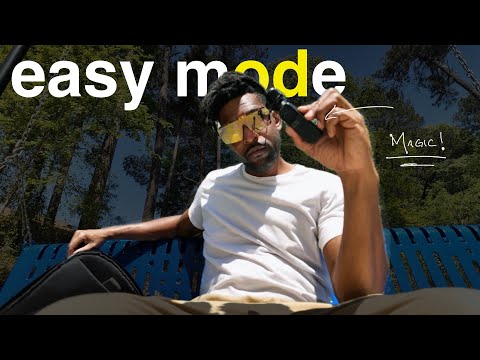
Aaron Reactivated's whole video is your philosophy in person. He bought the Pocket, then tried to treat it like a serious cinema camera — manual exposure, flat "Log" footage, colour grading, screw-on filters — and made an easy camera miserable. His turning point, almost word-for-word your instinct:
That's the take to anchor on. Shoot it on auto, lean on the built-in look, never grade. The magic he describes — set it on a table and grab four different shots (pan, zoom, refocus) from the app without touching it — is exactly the effortless, low-friction capture you're after.
The other two videos you sent (BruKino and Elijah Windmill) are good, but be aware they go the opposite way — Log, LUTs, ND filters, manual settings — and both happen to sell their own LUT packs. Take the technique, skip the faff. The best line among them actually agrees with everything above and with your Korean research — Elijah's own: "Cinematic is not about the camera, it's a feeling. Lights, colours, music, sounds — that's how you make cinema with any camera."
And the most respected reviewer (HTX Studio) settles the practical question: against your iPhone the Pocket's win isn't image quality, it's the gimbal (smooth movement and far less blur at night), the flip-up selfie using the good lens, and being able to just pick it up and shoot. He also explains why it sold ten million — it became a symbol of an easy, free, travel-the-world life, "people just trying to capture themselves living in the moment." Which is basically your documenting-life thing.
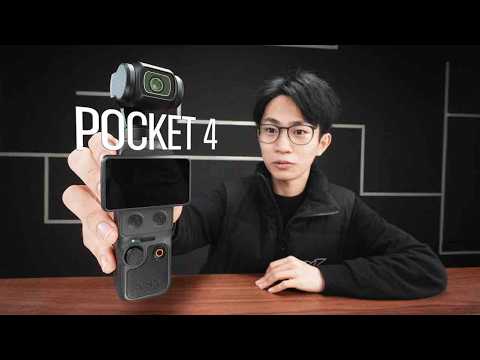


Where it lands: if you buy, get the Pocket 4 (the current model — about ฿15,500 for the standard kit, ฿18,900 with the mic). Run it on auto with the built-in look, ignore the LUT sales pitches. Worth a two-week glance for the rumoured Pocket 4 Pro (twin lens) before you commit. But the honest truth is your iPhone plus the Flow gimbal you already own does most of this — the Pocket only really wins on friction: you'll actually pull it out.